A QR code used to be a novelty — a strange little square you scanned out of curiosity, maybe once a year. Now it's basic infrastructure. The parking meter wants one scanned before it'll take your card. The restaurant hands you a table tent instead of a laminated menu. The gym class sign-in sheet is a printed square taped to the wall. The notice about a missed delivery has one too. That shift happened fast, and it opened a gap scammers noticed just as fast. A QR code has one property an ordinary link doesn't: you can't read where it leads just by looking at it. That blind spot is the entire trick — sometimes called “quishing” — and it catches people who'd never fall for an obvious phishing email.
Where the fake ones actually show up
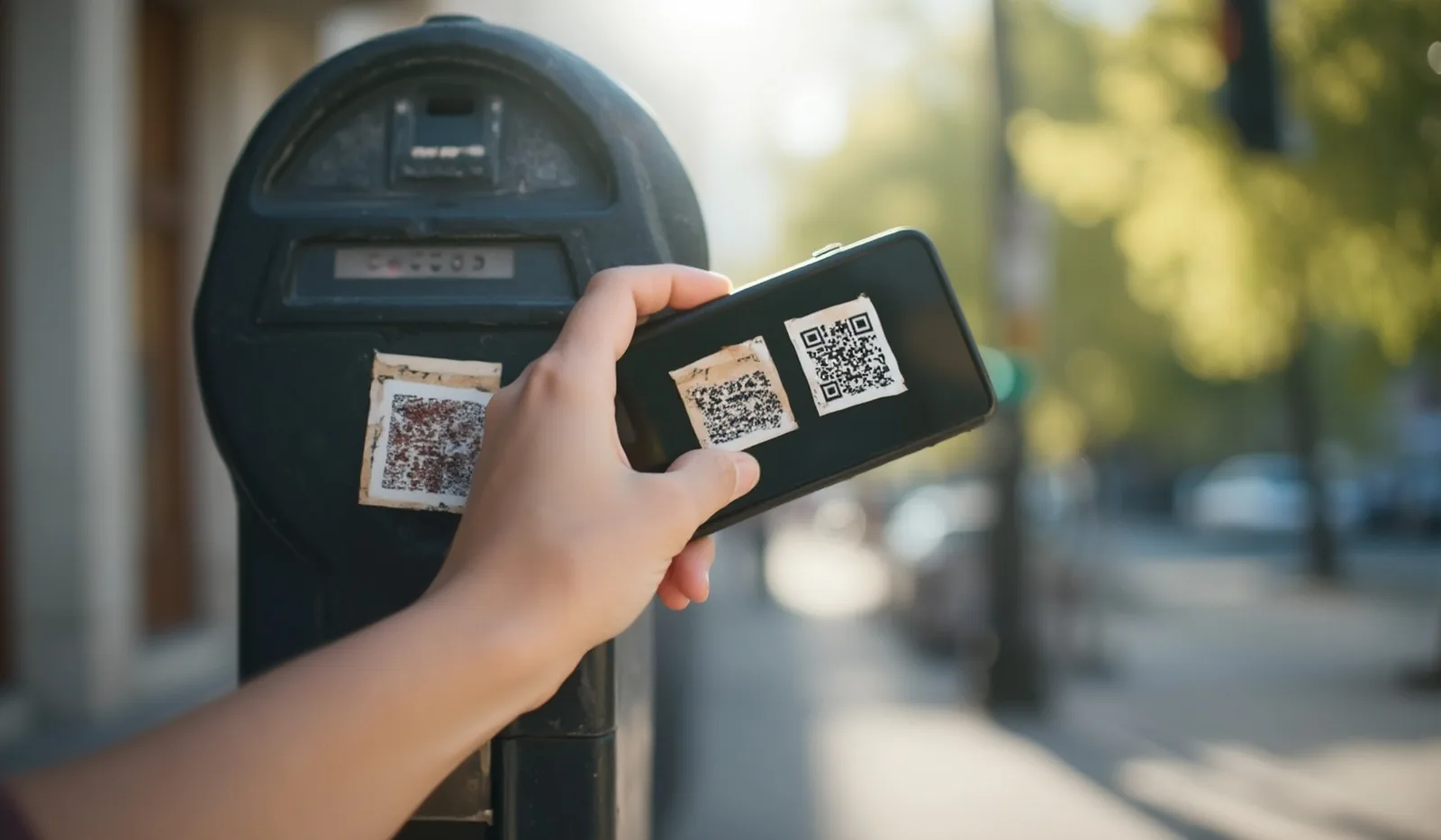
Public, unattended QR codes are the easiest target, because anyone can walk up and add one. Parking meters and pay-to-park kiosks are the single most reported spot — a scam sticker slapped over the real payment code sends your card details to a fake site instead of the city's actual payment page. Gas pumps, EV chargers, and toll-reminder mailers get the same treatment. Event flyers and posters taped to a pole are trivial to alter: peel off the real code, stick down a new one, and most people never notice. Plenty of fakes also arrive digitally — a QR code embedded in an email or text image, which sidesteps the link filters that would normally flag a suspicious URL outright. Anywhere a code sits somewhere you'd normally trust the surface it's printed on, that trust is exactly what's being borrowed.
Inspect the code itself before you scan
Before your thumb even reaches for the phone, look at the sticker. A genuine code, printed by the business or agency, is usually part of the original signage — embedded in the material, aligned straight, matching the print quality around it. A tampered one is almost always a separate sticker: slightly crooked, a different white than the surface behind it, with a visible edge or a lifted corner. Run a fingernail along the border if you're unsure — a code stuck on top of another surface has a seam a printed one doesn't. And if a parking meter or door notice never used to have a QR code and suddenly does, treat that novelty itself as worth a second look, not just the sticker's condition.
Read the preview before you tap “open”
Most phone cameras don't open a scanned link right away — they show a preview card with the destination first, and that pause is the single best tool you have. Read the actual domain, not just the bold text your phone highlights: scammers pad a link with a real-sounding word (a city name, “parking,” “secure”) and bury the real domain in a long string of subdomains or a random-looking suffix. What matters is the root domain right before the .com, .gov, or similar — not whatever comes first in the address. Treat a shortened link, one that hides the destination behind a generic redirect, exactly like the sticker itself: since you can't verify it in the preview, don't open it. Navigate to the organization's site yourself instead.
What a legitimate destination never asks for
A parking app doesn't need your full card number typed into a bare page with no site details, a missing padlock icon, or a design that looks slightly off from the app or site you've used before. A restaurant's menu code shouldn't ever ask you to log into an account, install anything, or hand over a one-time verification code — it's a menu. Any QR-launched page that pushes you straight into entering a password, a code sent to your phone, or full payment details before you've had a chance to confirm you're on the real site is behaving like every other scam: rushing you past the moment you'd normally stop and think.
If you already scanned and something feels wrong
Close the page without entering anything further — don't submit a form you've already started, and don't install an app the page prompted you to download. If you already typed in payment information, contact your card issuer and ask about a replacement number; most will flag or reverse a fraudulent charge quickly if you catch it early. If you entered a password, change it immediately, and change it anywhere else you reused that same password. None of this requires panic — a QR code scam is just a redirect, and once you stop before the payment or login step, it can't do anything more.
- For parking, tolls, or fines, type the organization's known web address yourself instead of scanning — it takes ten extra seconds and skips the risk entirely.
- Glance at any public sticker before you scan it: straight, embedded, and part of the original sign beats crooked, separate, and slightly off.
- Always read the link preview's actual domain before tapping through, and skip any code that resolves to a shortened, unreadable link.
- Report a tampered sticker to the business or property when you spot one — you may be the only person who noticed.